The problem: twelve images, twelve products
Try it. Ask any generator for “an amber perfume bottle on red satin”, then “the same bottle held by a woman”, then “the same bottle on a marble table”. You’ll get three gorgeous images of three different bottles. The cap goes from round to square, the liquid from honey to cognac, the logo appears and disappears.
That isn’t a model defect, it is how it normally works. An image model has no memory from one generation to the next. “The same bottle” means nothing to it: it has never seen the first one. It rereads your sentence and draws a plausible interpretation, different each time.
For a one-off image, that doesn’t matter. For a campaign, it is fatal: a brand is precisely a product you recognise from one image to the next. If the customer doesn’t recognise the bottle between the ad and the shop, the campaign worked for nothing.
The result we’re aiming for
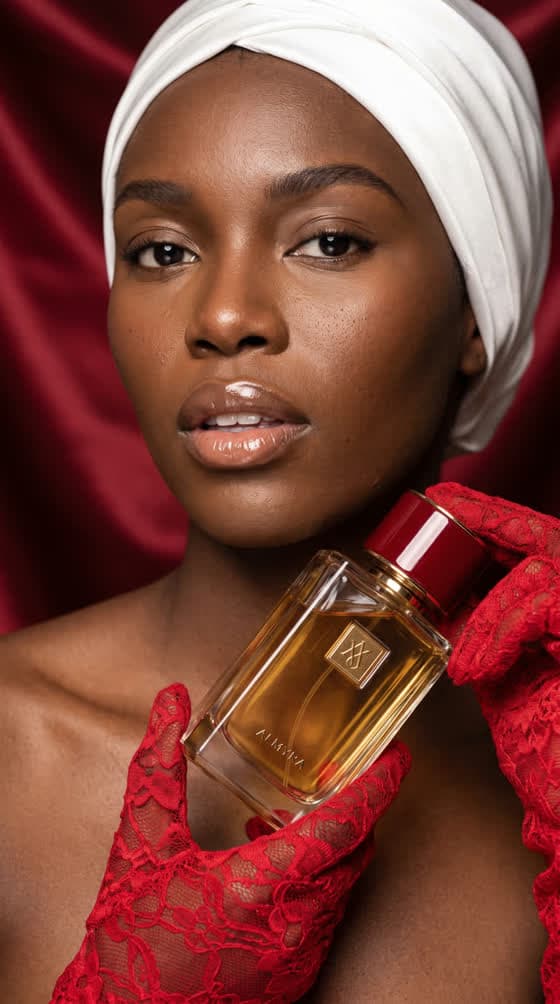
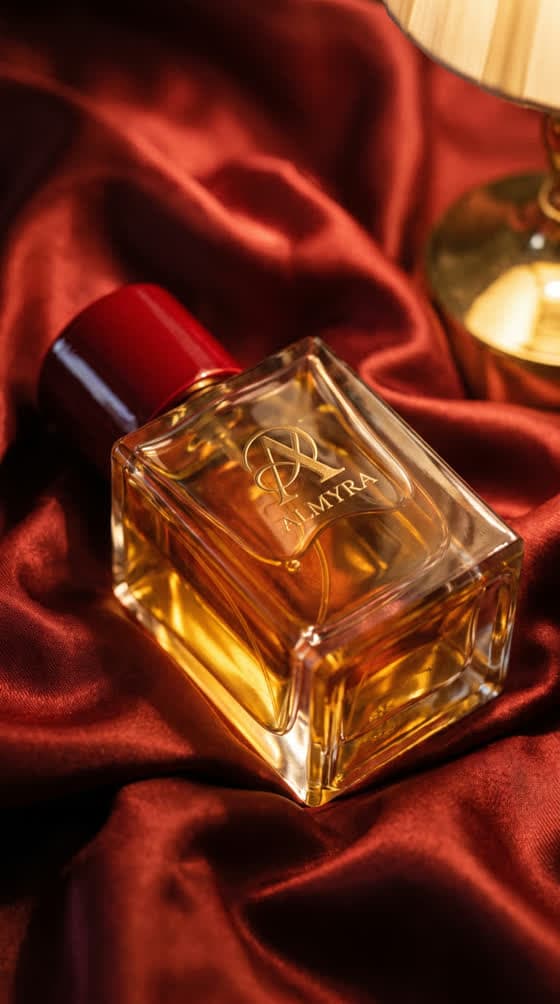
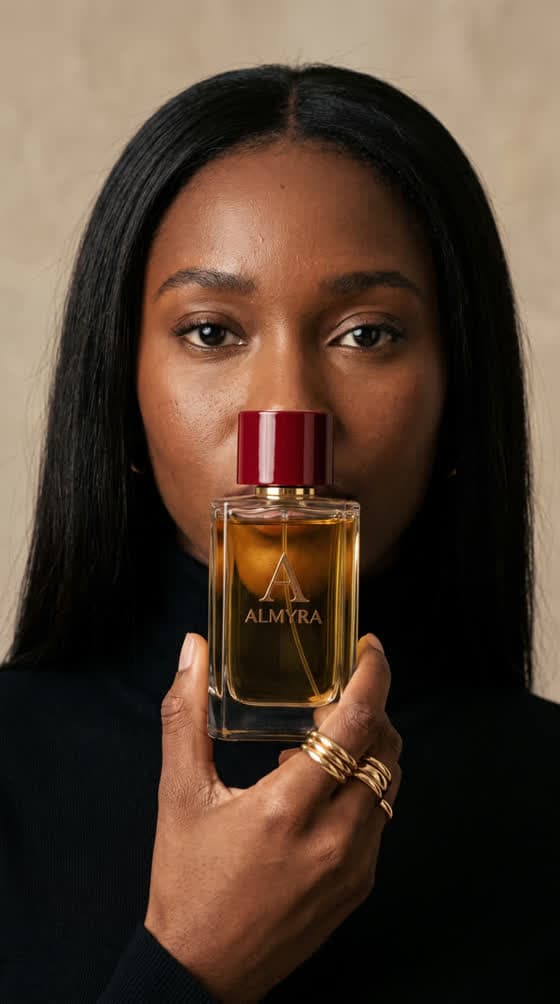
Here is the Almyra campaign, eleven shots produced in the ToolAcces Studio for a fictional perfume brand. Sets, models, lighting and framing all change. The bottle does not: same thick glass, same amber liquid, same red lacquered cap, same gold monogram.
None of this depends on a particular model or a secret setting. It comes down to writing discipline, which boils down to one idea: separate what must never move from what must change in every shot.
The core tool: the lock phrase
The lock phrase is a one-sentence description of the product, written once and then copied word for word into every prompt of the campaign. Not a comma of difference. Here is Almyra’s:
a heavy rectangular glass perfume bottle with amber-gold liquid, a deep red lacquered cap and a small embossed gold monogram with the word ALMYRA below it
It looks innocuous. Yet every word is there for a specific reason.
It names materials, not just colours
“Glass”, “lacquered”, “embossed”. A colour alone lets the model choose the material: “a red cap” can come out as matte plastic, brushed metal, velvet. “A deep red lacquered cap” leaves only one option. It is the most important rule and the most often forgotten.
It gives shape and weight
“Heavy rectangular”. Weight seems useless in an image; it isn’t. It pushes the model toward thick glass, sharp edges, dense reflections: the signature of a luxury fragrance rather than a sample vial.
It places the name on a specific support
“A small embossed gold monogram with the word ALMYRA below it”. The name isn’t just “on the bottle”: it sits under a monogram, small, gold, embossed. Without that detail, the model writes the name wherever it likes, big or small, sometimes twice.
It says nothing about the set
No satin, no light, no hand. Everything that changes from shot to shot is excluded from the phrase. If the lock contained “on a red background”, you’d have to edit it for the shot on a cream background — and a lock you edit no longer locks anything.
With your own product: if you have a photo, upload it as a reference image for every generation, in addition to the lock phrase. The reference shows, the phrase specifies. Together, they leave very little room for interpretation.
The grid of six shot types
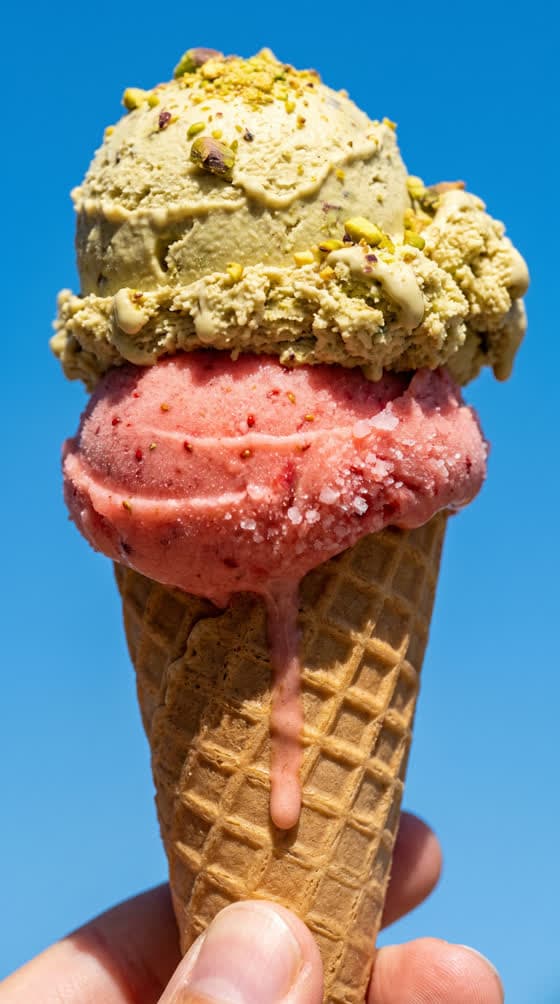
A campaign isn’t the same photo twelve times in twelve sets. It tells a story: the product exists, it is desirable, it gets used, it is part of a life. Each shot type carries part of that story. Here are the six, illustrated with another Studio campaign, the Nivo ice cream.
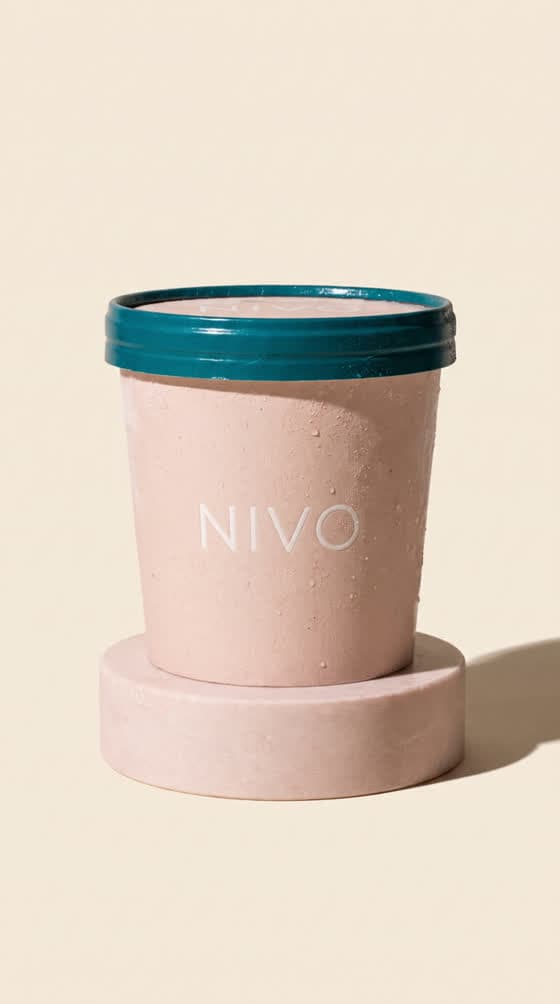
The product alone, clean background, hard shadow. It proves the brand exists.
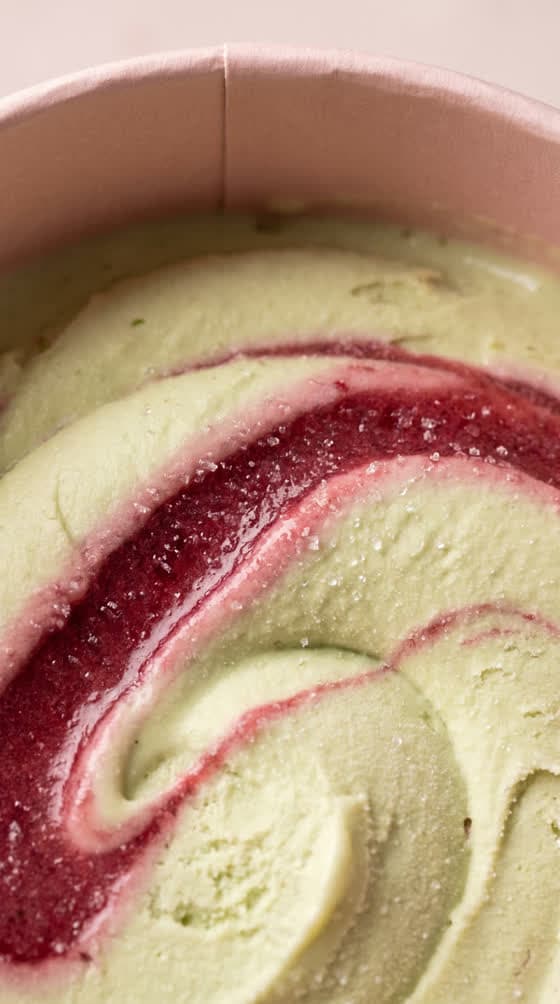
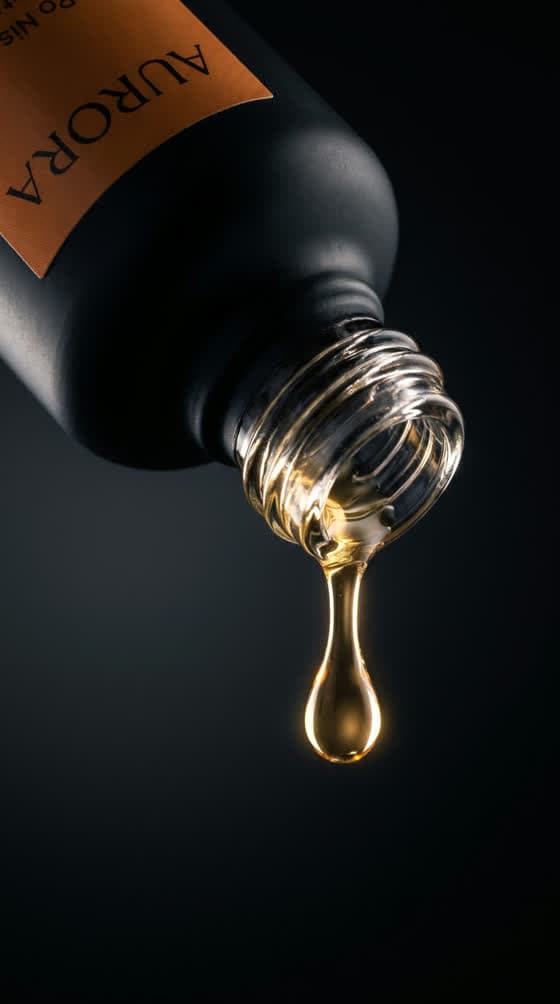
A detail a few centimetres away: material, texture, drop. It creates desire.
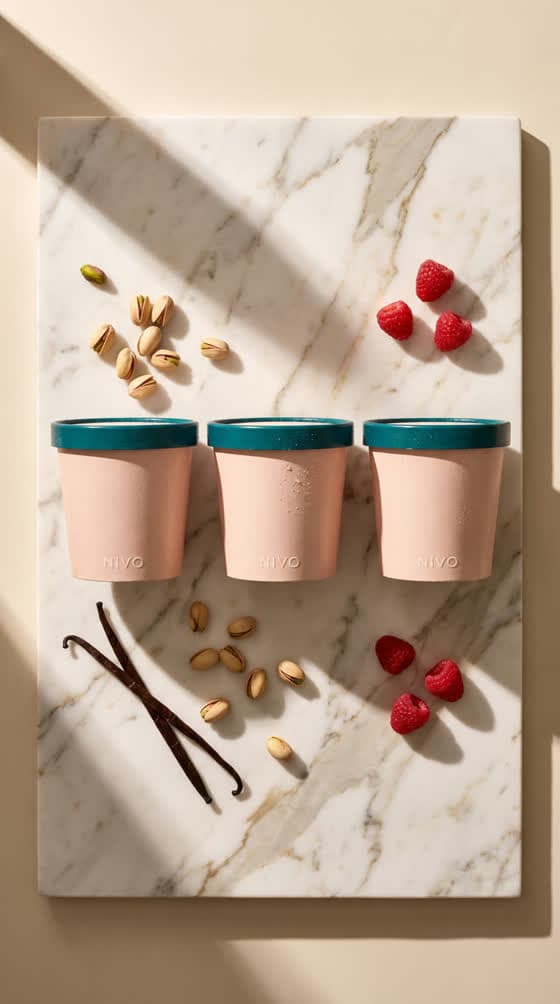
Flat lay, seen from above, props and ingredients around it.
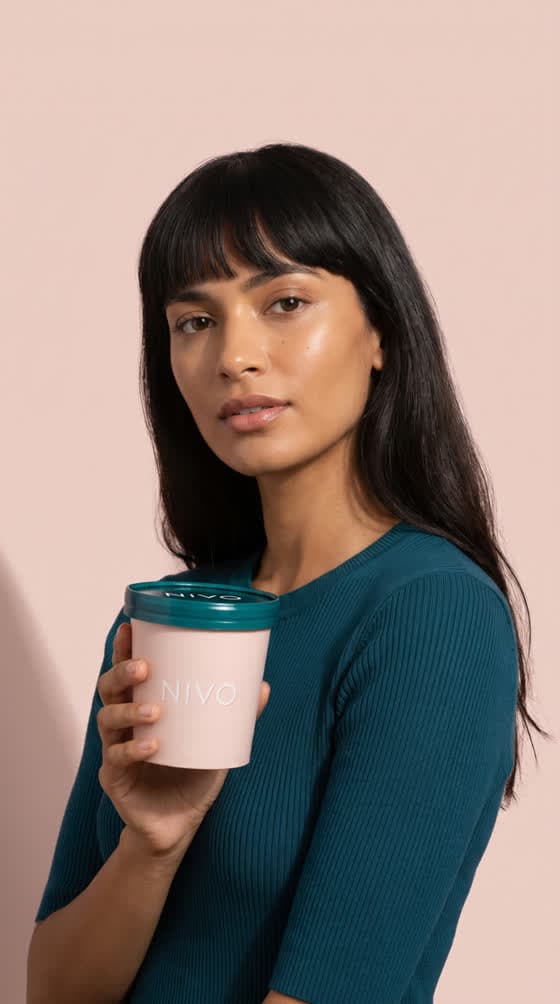
A person holds the product on a plain background. The product stays the subject.
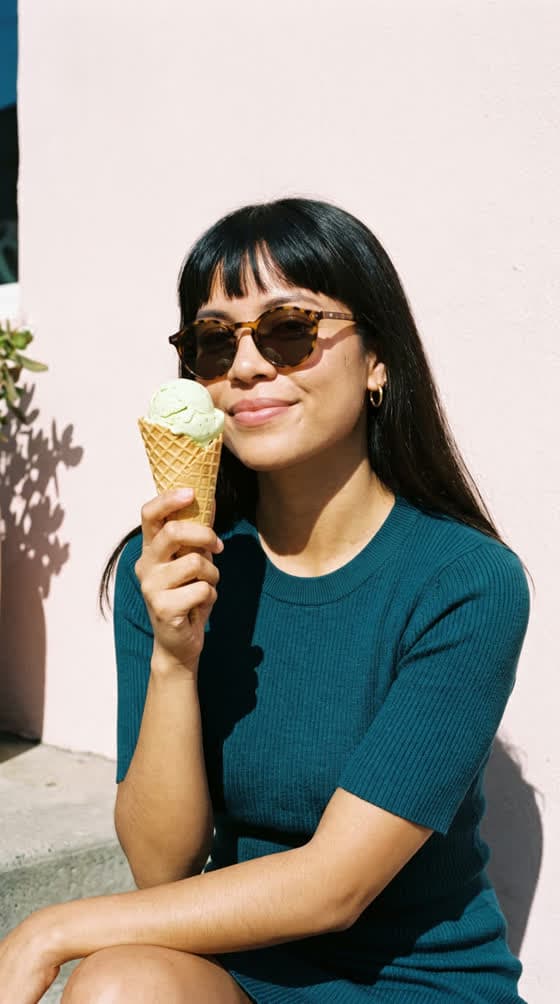
The same person in context. The product becomes a habit.
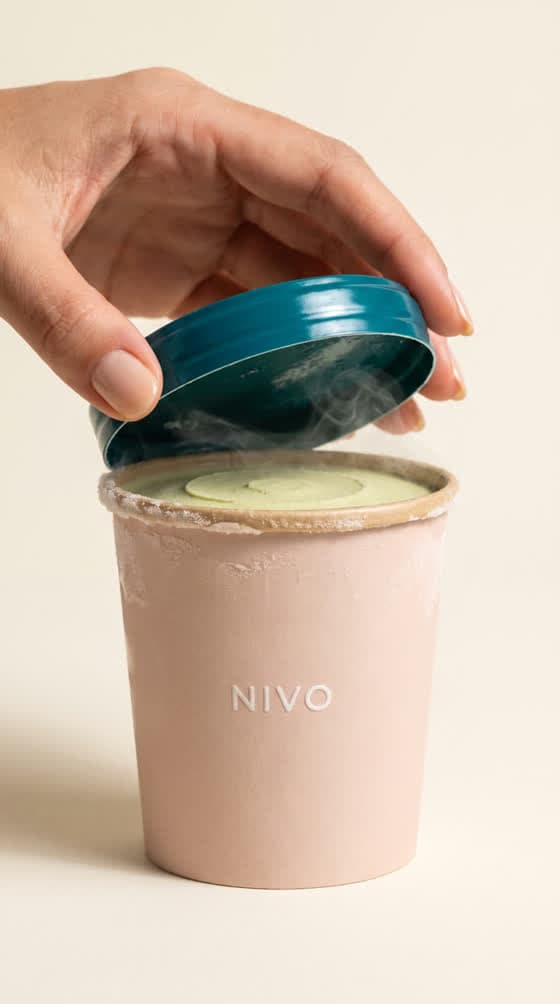
A hand acts on the product: opens it, turns it, holds it out.
Two shots per type, at most
For twelve visuals, take two shots of each type. Three packshots in a row and the campaign looks like a catalogue; three lifestyle shots and you no longer see the product.
Alternate wide and tight
In the publishing order (and the edit, if you make a video), never put two tight shots back to back. A macro, then a lifestyle shot, then a packshot, then a gesture: the eye breathes, the series moves forward. Two close-ups in a row and attention drops.
The gesture, the most valuable shot
The gesture shot animates best, by far. A hand lifting a lid, a finger pressing a spray: the movement is already in the image, the video model only has to extend it. If you plan to animate the campaign, include at least two.
Anatomy of a prompt: six blocks, always in the same order
Once the lock is written and the shots chosen, every prompt is built from the same six blocks, in the same order. Only blocks 3 to 5 change from one shot to the next.
- The photo type
“Professional advertising product photograph”, “high-end fragrance campaign photography”. It sets the register before anything else.
- The lock phrase
Copied word for word. Never summarised, never rephrased, never “improved” along the way.
- The set
The only thing that really changes: the surface, the background, the props, the person if there is one.
- The optics
Camera, focal length, aperture: “100mm macro lens, f/5.6”. The model has learned what those words produce in photography.
- The light
Named precisely: “warm golden-hour directional light”, “crisp hard studio light from the left”. Never “beautiful light”.
- The negatives
Always the same, in every prompt, to rule out the typical defects.
Here is the full prompt for the palm-shadow packshot. Spot the six blocks:
A heavy rectangular glass perfume bottle with amber-gold liquid, a deep red lacquered cap and a small embossed gold monogram with the word ALMYRA below it, standing alone on a smooth cream plaster surface. A sharp palm leaf shadow falls diagonally across the bottle and the surface.

High-end fragrance product photography, shot on a 100mm macro lens, shallow depth of field. Hyper-realistic glass refraction and caustics, crisp shadow edges, subtle texture in the plaster. Warm golden-hour directional light, cream seamless background, slight film grain.

NEGATIVE: cartoon, CGI, 3D render, plastic look, over-saturated, watermark, subtitles, hands, other brand logos
The negatives that really matter
The base list fits in six terms: cartoon, CGI, 3D render, plastic look, other brand logos, watermark, plus extra text when no text should appear. The most important is also the least obvious: “other brand logos”. Without it, the model tends to invent another brand on the packaging, different in every shot.
The realism block, and why its order matters
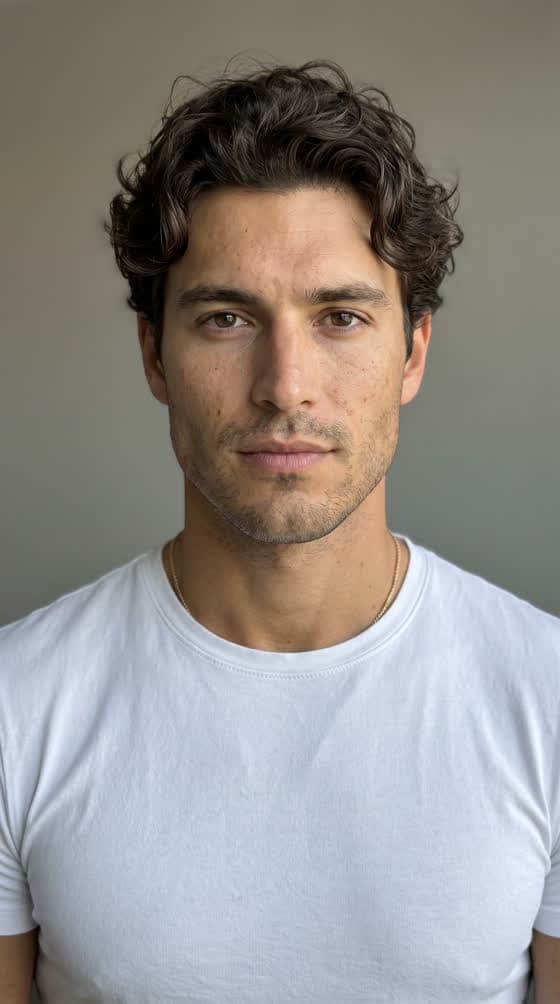
For shots with a person, add realism descriptors: visible pores, skin texture, slight film grain. But the order is decisive: beauty descriptors come before realism descriptors. The other way round, texture terms pull the render toward documentary and produce an ordinary-looking person. You want a model photographed realistically, not an ordinary person photographed realistically.
A beautiful fashion-model-grade woman in her mid-twenties with deep brown skin, editorial features, wearing a white silk headwrap and long red lace gloves, holding a heavy rectangular glass perfume bottle with amber-gold liquid, a deep red lacquered cap and a small embossed gold monogram with the word ALMYRA below it, up in front of her collarbone. She looks straight into the lens, lips slightly parted, glossy nude lip.

High-end fragrance campaign photography, shot on an 85mm lens, shallow depth of field. Hyper-realistic skin with visible pores and natural texture, glass refraction on the bottle. Soft directional studio light, deep red satin backdrop, slight film grain.

NEGATIVE: cartoon, CGI, 3D render, plastic skin, heavy beauty filter, airbrushed skin, ordinary-looking person, watermark, subtitles, extra fingers, deformed hands, other brand logos
Notice where the lock sits: in the middle of the model’s description, exactly where she holds the bottle. The lock has no fixed position in the sentence; it has a fixed text.
The full method, from product sheet to campaign
- Describe the product freely, in your own words
Name, materials, colours, shape, what is written on it. It is a draft to think with.
- Write the lock phrase in English
One sentence. Materials named, name placed on a specific support, not a word about the set. Read it aloud: every word should describe the product and nothing else.
- Test the lock on three very different shots
A packshot, a model, a lifestyle shot. If the product changes between the three, it’s the lock that needs fixing, not the prompts.
- Pick your shots from the grid
Two per type for twelve visuals. Write them down in publishing order, alternating wide and tight.
- Write the prompts with the six blocks
Copy the lock into each. Change only the set, the optics and the light.
- Generate in the final format
9:16 from the start if it’s for social. Cropping a square into vertical loses a third of what you paid for.
- Sort, then animate the best
Keep the shots where the product is flawless. Animate the gesture shots first.
Animating the campaign without breaking the product
Campaigns now live in video as much as in images. Good news: consistent images make consistent videos, as long as you follow three rules.
One movement per shot
Two movements in a five-second clip produce mush: the model averages them. “She turns the bottle a few degrees between her fingers, and blinks slowly” is already the upper limit.
She turns the bottle a few degrees between her lace-gloved fingers so the light travels across the glass, and gives one slow natural blink. Very slow push-in. The red satin backdrop stays still.
Say what doesn’t move
Look at the end of the prompt: “The red satin backdrop stays still”. Stating what must stay still matters as much as describing the movement. On a packshot, you often write “The bottle stays perfectly still”: only the light or the camera moves.
Camera moves that hold
- Slow push-in: the safest, it works on everything.
- Horizontal tracking pan: ideal on a top view.
- Static camera, moving subject: a sliding shadow, rising vapour.
Conversely, orbits and drone moves often distort the product. If you try a rotation, keep it short, around fifteen degrees, as in Almyra’s red satin shot.
To go further on animation, read how to turn an image into a video and why AI videos lack smoothness.
Automating: the campaign from your AI assistant
This whole method is also available in the ToolAcces MCP connector, as a ready-to-use command: campagne-produit. You describe your product in one sentence to Claude or ChatGPT; the assistant writes the lock phrase and submits it to you, picks the shots from the grid, writes the twelve prompts with the six blocks, announces the total cost in credits and waits for your approval before generating anything.
If you provide a product photo, the assistant uploads it once and attaches it to every generation. The twelve images go out in a single call, and an image that fails is refunded on its own. Everything is explained in our feature MCP: generate images and videos from Claude, ChatGPT or Cursor.
Mistakes that break consistency
- “Improving” the lock mid-campaign. Adding an adjective in the seventh prompt gets you a seventh product. If the lock must change, regenerate the whole series.
- Describing the product by colour alone. “A pink tub” gives ten pinks and ten materials. “A matte blush-pink cardboard tub” gives one.
- Putting the set in the lock. It can no longer be reused as is in the next shot.
- Forgetting “other brand logos”. Ghost brands appear on the packaging.
- Generating square then cropping. You cut the product or the face.
- Too many shots of the same type. The campaign repeats itself and bores before the end.
Frequently asked questions
Because every generation starts from zero. The model doesn't remember the previous image: it rereads your text and offers an interpretation of it. If the product description varies, even by one word, the interpretation varies too. The lock phrase removes that variation by fixing the description once and for all.
It helps a lot, but it isn't enough on its own. Without a stable written description, the model interprets the reference differently depending on the requested set. The most reliable combination is the product reference plus the lock phrase copied identically into every prompt.
Six are enough for a test, twelve for a full campaign that covers every shot type and leaves room for testing. Beyond that, the series starts repeating itself, and it's better to launch a second campaign with a different universe.
For staging, yes: image models give more faithful results in English. Think in your own language, then translate. The lock phrase, in particular, must be translated once and then copied without ever being touched again.
It depends on the model and resolution chosen. On ToolAcces, the plan_campagne tool of the MCP connector gives the exact cost in credits before any generation, and the Studio shows the price of each image before launching it. Expect a few hundred credits for twelve high-definition images.
Yes, shot by shot, with a single movement each. Gesture shots (a hand opening, turning or holding out the product) animate best; packshots handle a very slow camera move better than an action.